The procedure · six steps
From posted project to signed award
BidPortal runs the whole preconstruction loop. Here is the procedure, in the order your estimating team lives it.
- 01
Post the project
Create the project with its bid due date, RFI deadline, job walk, and construction start. Break the work into bid packages, one per trade, each with a rich-text scope of work and a structured bid form: lump sums, unit-price line items with quantities, and alternates.
- 02
Load the plan room
Drag in drawings, specs, and addenda. Files are versioned, so E-101 rev 2 replaces rev 1 without breaking links, and every bidder is notified when an addendum posts. You can scope files to specific packages or share the full set.
- 03
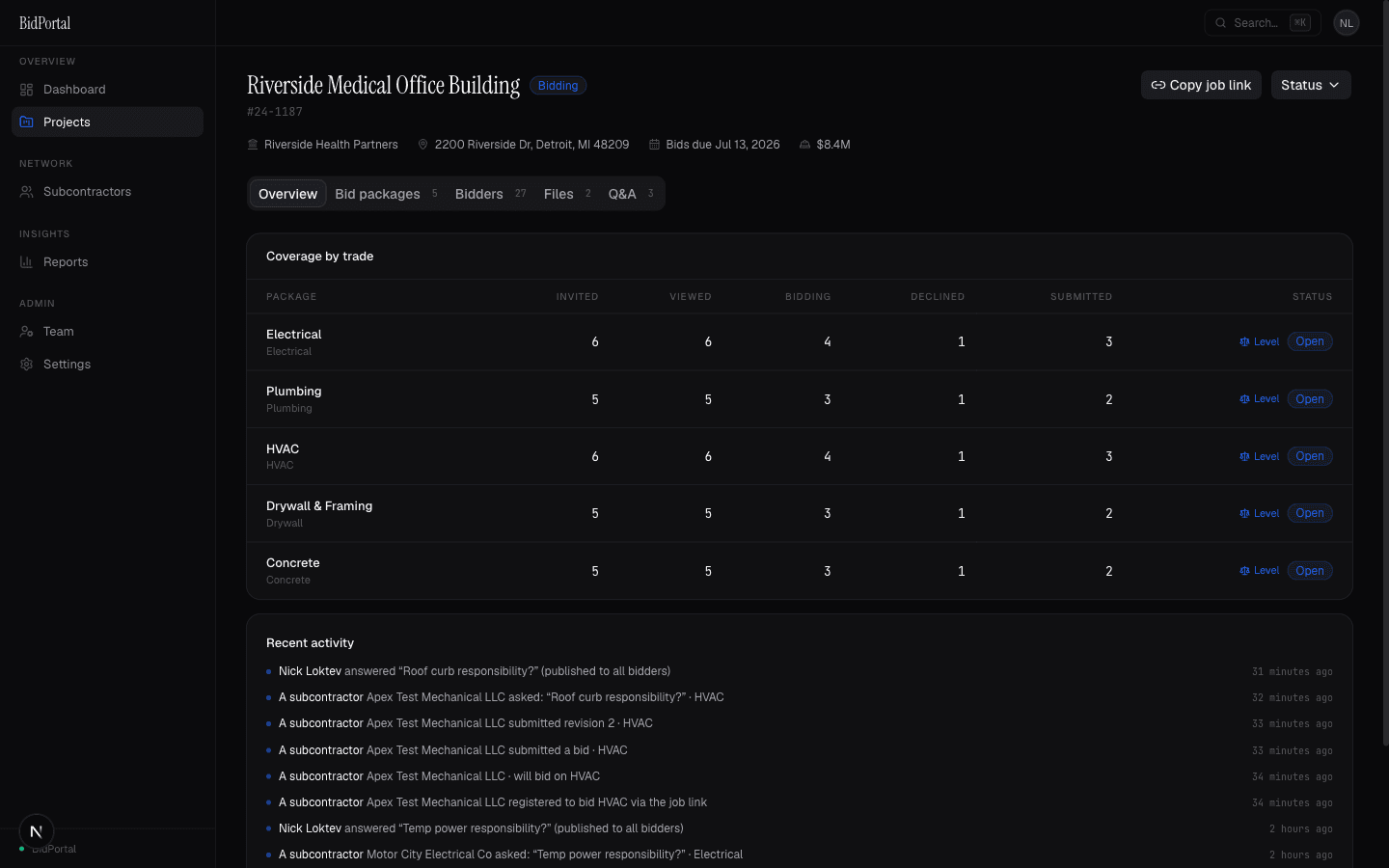
Invite your subs, or let them find you
Invite companies from your private directory; each contact gets a branded email with a secure personal link. Or copy the public job link and post it anywhere. Subs register in thirty seconds with no account or password.
- 04
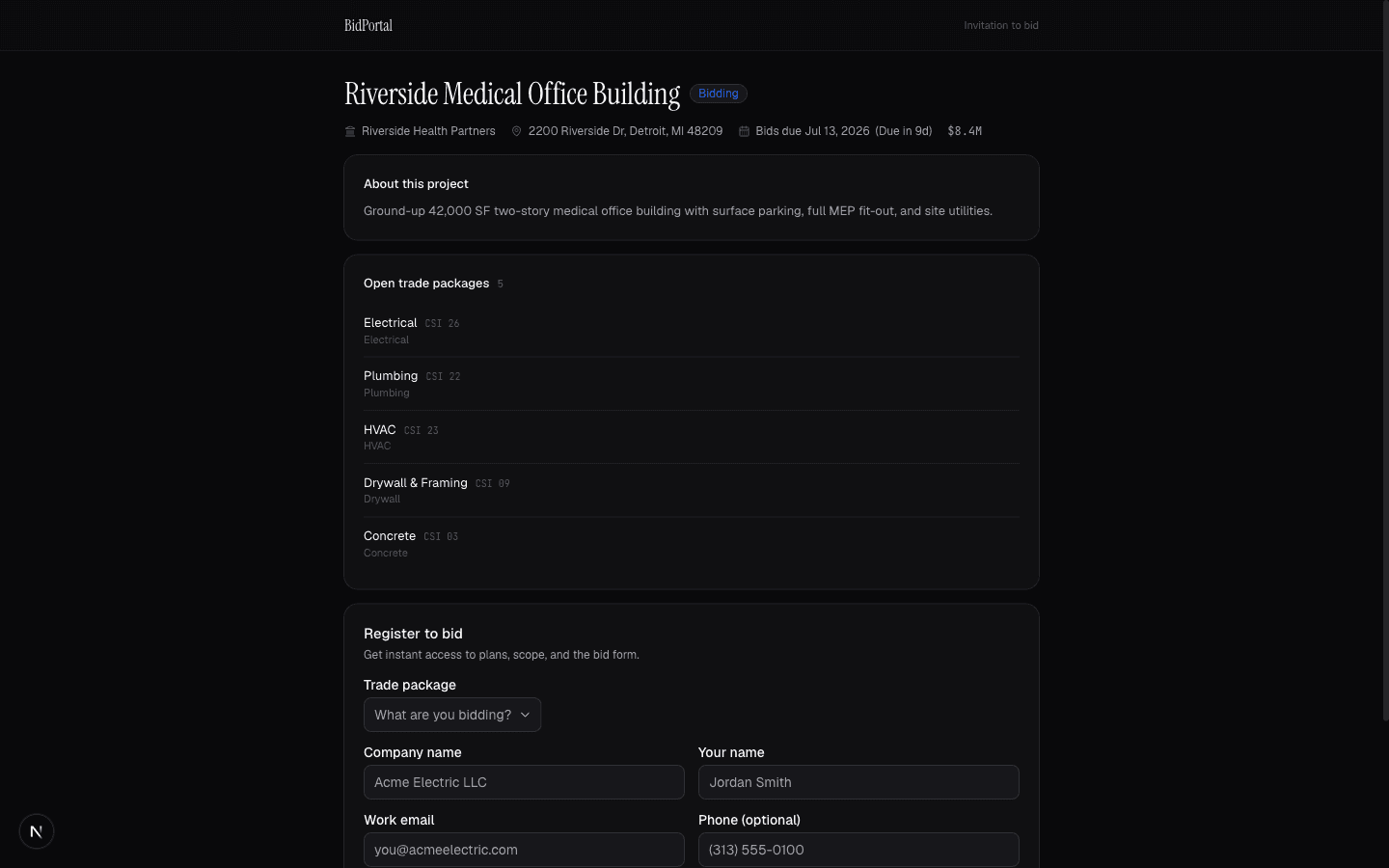
Watch coverage fill in
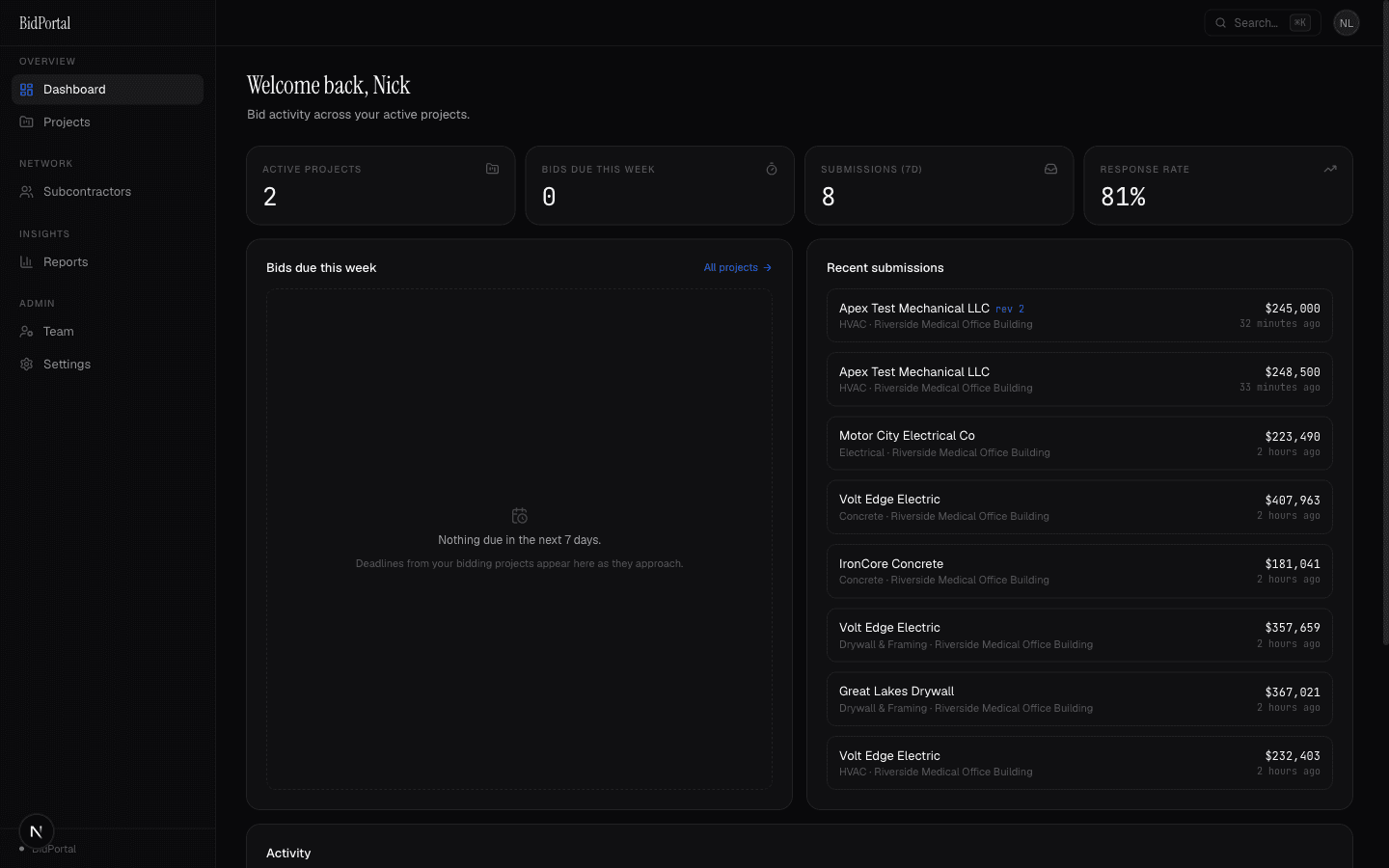
The funnel tracks every invitation: invited, viewed, bidding, declined, submitted. Declines carry reasons. Automatic reminders nudge non-responders and will-bid companies before the due date, and the dashboard rolls it up across projects.
- 05
Answer questions once
Bidders ask questions from their bid room. You answer once and publish RFI-style to every bidder on the package, or reply privately. The full thread stays on the record with the project.
- 06
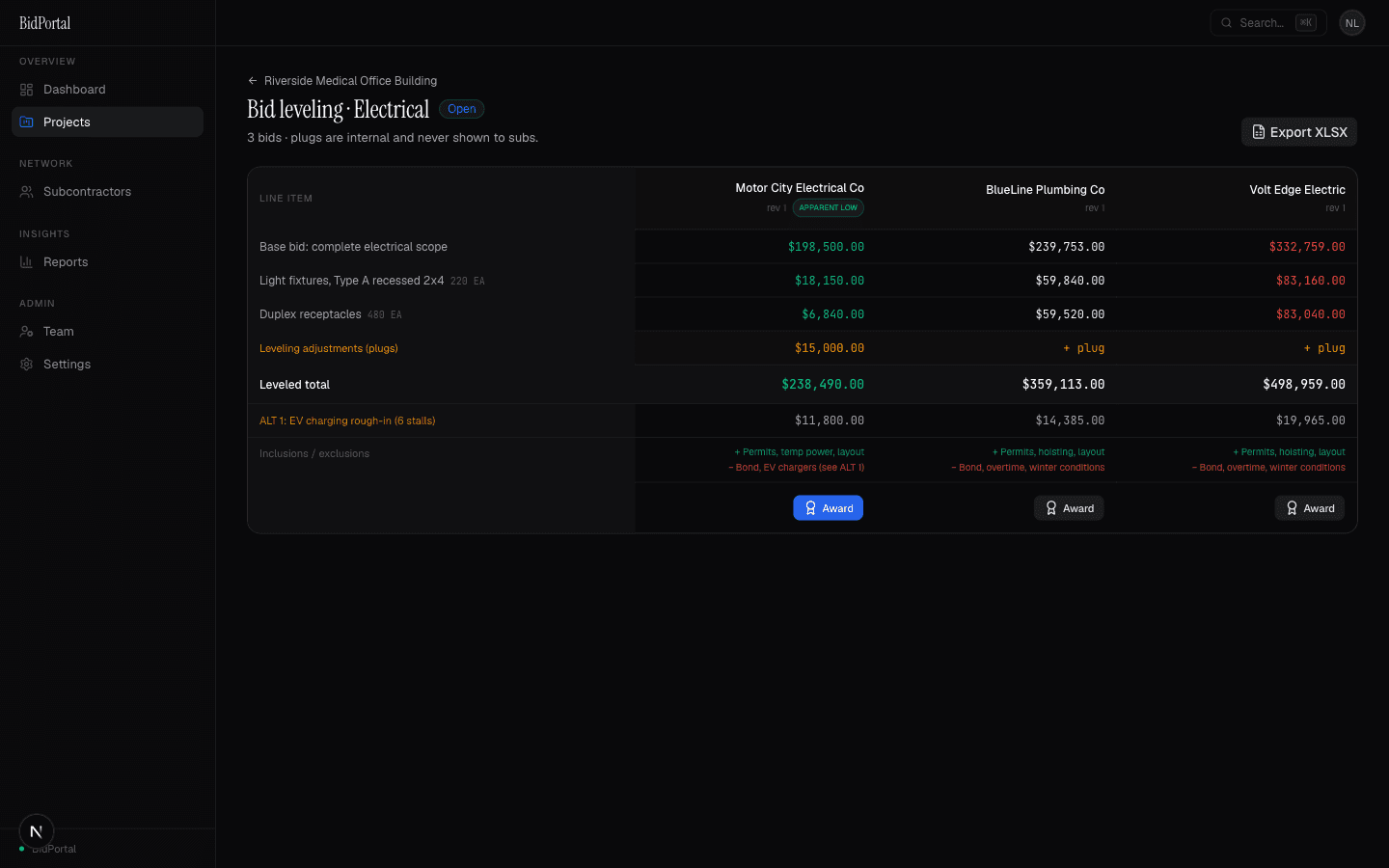
Level and award
Submitted bids line up side by side: base bid, unit prices, alternates, inclusions and exclusions, revisions. Add internal plugs to normalize scope gaps; subs never see them. Export the sheet to XLSX, award the package, and BidPortal notifies the winner and the rest.